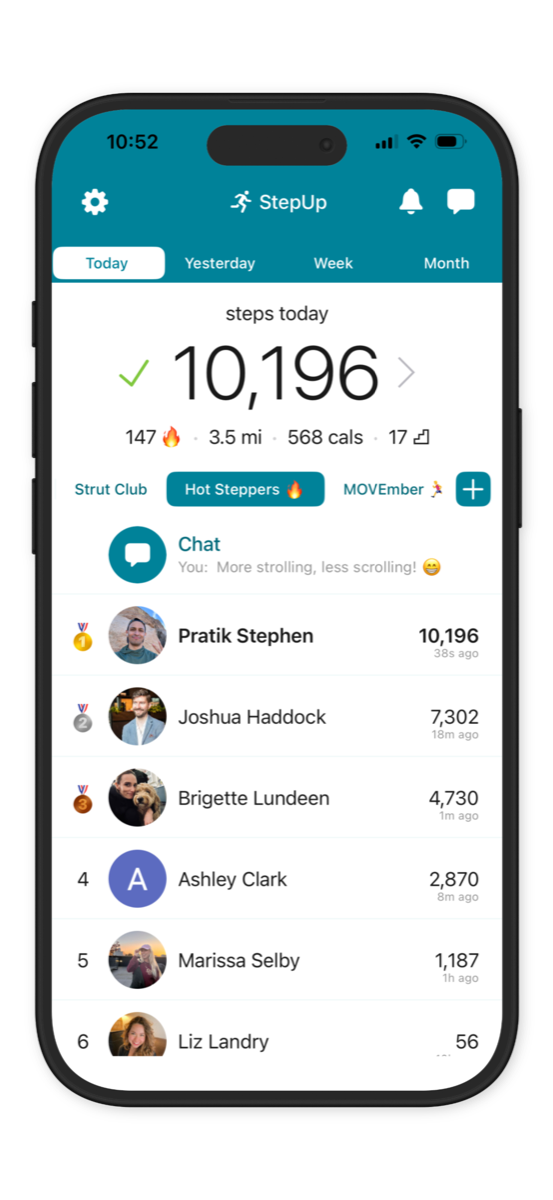
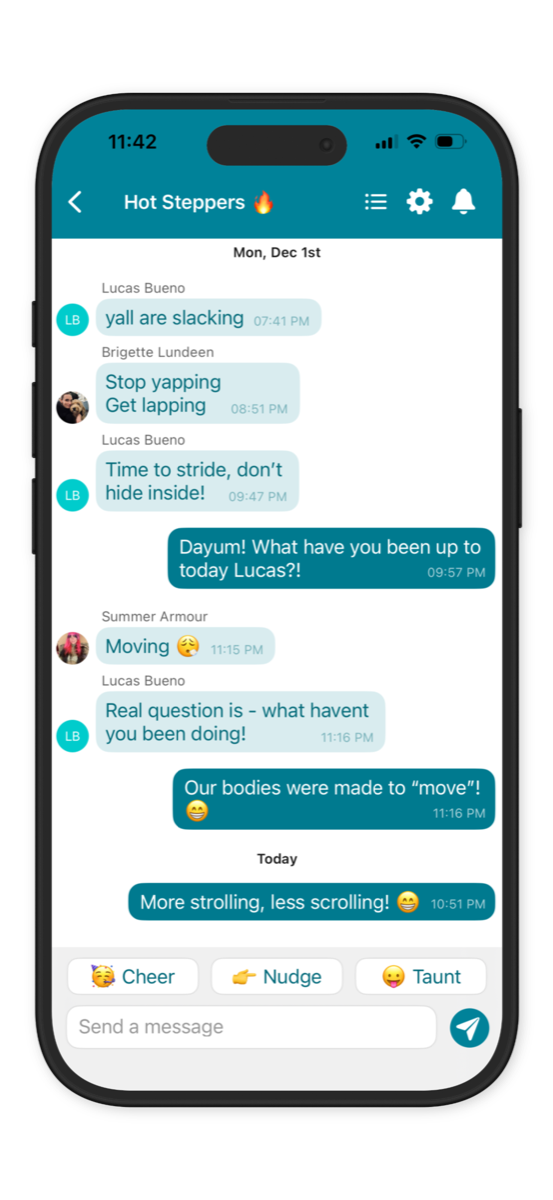

Create a group, share an invite link, and everyone competes on live daily, weekly and monthly leaderboards. Free for everyone, on iPhone and Android.

StepUp is used for step challenges at work (Amazon, BMW, Google), at schools (Yale, Stanford), and by gyms, clubs and groups of friends around the world. Setting one up takes a few minutes. Organising one for your company? See our workplace step challenge guide.
Download StepUp and create a private group for your team, class, club or friends, with up to 15,000 members.
Share the group's invite link by email or text. People tap it to install StepUp, then tap it again to join.
Steps count automatically from each person's phone or wearable. Daily, weekly and monthly leaderboards update on their own.
Announce weekly or monthly winners, cheer each other on in group chat, and export reports for any date range.
The simplest option. Every group has daily, weekly and monthly leaderboards that run all the time, so you can announce winners every week or every month.
Daily and weekly leaderboards reset at midnight. The monthly leaderboard switches to the new month on the 3rd, so everyone can still see last month's results for the first two days.
Great for events like a "Walktober" or a 30-day challenge. Admins set custom leaderboard dates from Group Settings (long-press the group name) > Custom leaderboard dates.
Members then see the custom leaderboard in place of the monthly one. Ranges can be anything from 1 day to 1 year, and the group continues as normal afterwards.
Create one group per team, such as by office, country or department, and have each person join only their team's group.
Export each group's report to compare total steps or average daily steps per member, then share the standings by email. Each group can have the same admin or its own. See more workplace challenge ideas.
In Mystery Mode, today's step counts are hidden and only ranks are shown. Steps are revealed the next day.
It keeps the competition friendly and works especially well for work groups. Admins can turn it on from Group Settings.
Send invites at least a week before your start date so everyone has time to install StepUp and connect their wearable. Steps recorded after someone joins show up on the group leaderboards straight away.
Prizes are fun but not essential: recognition and bragging rights are often motivating enough. Prizes only for the most steps can create unhealthy competition at the top and discourage everyone else.
A good alternative is a random draw among everyone who reaches a goal, such as 10,000 steps a day or 300,000 steps in a month.
Group chat lets members share updates, encourage each other and enjoy some friendly banter. Admins can turn off chat or taunts from Group Settings, and remove messages or members if needed.
StepUp works with any iPhone or Android phone, and with wearables that sync to Apple Health or Android Health Connect. If someone's steps look low, see how to sync wearables.
Copy a template, replace the parts in [square brackets], and send it to your participants along with your group's invite link.
Dear Team, As part of our ongoing commitment to health and wellness at [Organisation], we're thrilled to announce the [Challenge name], hosted on the StepUp app! It's a fun step challenge designed to inspire us all to stay active, whether you're a seasoned runner or a casual stroller. How to join: 1. Download the StepUp app before [start date]: [group invite link] 2. Tap the link again to join the [group name] group. You can also copy the invite link, then in StepUp tap "+" (top right) > Paste invite link. 3. Start stepping up! From [start date], every step you take counts, and we'll announce winners every month. Stay healthy: walking can improve heart health, burn fat, reduce stress and boost creativity. Friendly competition: motivate each other to be more active. Who will win this month? About StepUp: StepUp is a free step challenge app for iPhone and Android, and it syncs with most wearables. If you have any questions, check the StepUp FAQs at thestepupapp.com or contact [organiser name and email]. Encourage your teammates to join in. The more the merrier!
Dear Team, We're thrilled to announce the [Company Walktober Challenge], hosted on the StepUp app! It's a fun step challenge designed to inspire us all to be more active in [October], whether you're a seasoned runner or a casual stroller. How to join: 1. Download the StepUp app before [October 1]: [group invite link] 2. Tap the link again to join the [Company Walktober Challenge] group. You can also copy the invite link, then in StepUp tap "+" (top right) > Paste invite link. 3. Start stepping up! The challenge runs from [October 1] to [October 31]. Every step you take counts, and we'll announce the winners on [November 1]. Stay healthy: walking can improve heart health, burn fat, reduce stress and boost creativity. Friendly competition: motivate each other to be more active. Who will win? About StepUp: StepUp is a free step challenge app for iPhone and Android, and it syncs with most wearables. If you have any questions, check the StepUp FAQs at thestepupapp.com or contact [organiser name and email].
Dear Team, We're thrilled to announce the [Company Step Challenge], hosted on the StepUp app! It's a fun step challenge designed to inspire us all to be more active, whether you're a seasoned runner or a casual stroller. We're dividing everyone into teams by [country / region / department], with prizes every month from [start month] for the team with the highest average daily steps and the individual with the most total steps. How to join: 1. Download and set up the StepUp app before [start date]. 2. Join only your own team's group using its invite link below. You can also copy the invite link, then in StepUp tap "+" (top right) > Paste invite link. - [Team 1]: [invite link] - [Team 2]: [invite link] - [Team 3]: [invite link] 3. Start stepping up! From [start date], every step you take counts, and we'll announce winners every month. In StepUp you'll only see your own team's group, but we'll send a weekly email showing how the teams are stacking up. Stay healthy: walking can improve heart health, burn fat, reduce stress and boost creativity. Friendly competition: motivate each other to be more active. Which team will win? About StepUp: StepUp is a free step challenge app for iPhone and Android, and it syncs with most wearables. If you have any questions, check the StepUp FAQs at thestepupapp.com or contact [organiser name and email].
Yes. StepUp is completely free, with no subscriptions and no features hidden behind paywalls. Every participant and organiser gets the full app. We support our work with minimal ads and an optional in-app purchase to go ad-free.
A StepUp group can have up to 15,000 members, so it works for anything from a few friends to a whole company or school. For team vs team challenges, create one group per team.
Share your group's invite link by email, text or chat. Tapping the link installs StepUp; tapping it again after installing joins the group. People can also copy the link and paste it in StepUp by tapping "+" (top right) > Paste invite link.
No. StepUp counts steps with just your phone in your pocket. Participants with wearables can sync them through Apple Health or Android Health Connect, including Apple Watch, Fitbit, Garmin, Samsung, Oura, Whoop and Withings. StepUp also syncs directly with Fitbit, Garmin and Samsung from Settings > Sync wearables.
There is nothing to start or stop. Once the group exists, leaderboards update automatically. Invite people at least a week before your start date so everyone has time to install StepUp and sync their steps.
Yes. Group admins can set custom leaderboard dates from Group Settings (long-press the group name). Members then see the custom leaderboard in place of the monthly one. A challenge can last from 1 day to 1 year.
The group carries on as normal, with its leaderboards and chat. The custom leaderboard keeps showing results for the challenge dates until an admin changes or clears them.
StepUp doesn't show group-vs-group leaderboards directly. Instead, create one group per team and compare teams using exported group reports, which include total steps, total distance and average daily steps per member.
Yes. Group admins can export reports for any date range from Settings > Manage Groups, or by long-pressing the group name.
No. StepUp doesn't allow manually added steps, to keep challenges fair. Steps come from the phone or from wearables synced through Apple Health or Android Health Connect.
Each person's daily steps are counted in their own local time zone. A participant in London has their day finalised at midnight in London, while someone in New York has theirs finalised at midnight in New York.
Only your StepUp friends and the members of groups you join can see you and your steps. StepUp never posts or shares step data anywhere else, and you can privately hide (block) anyone.