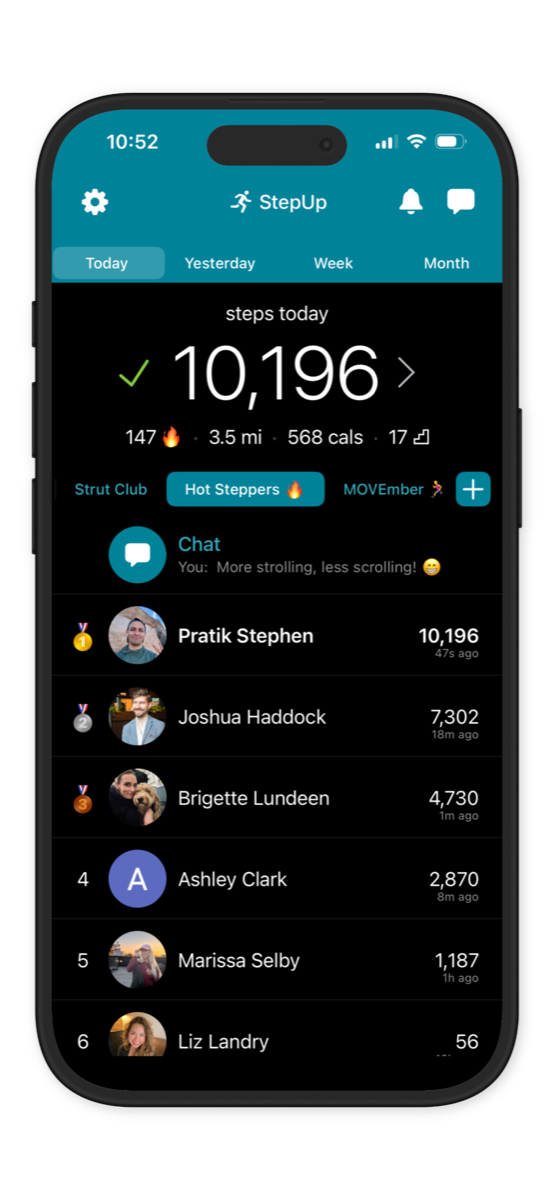
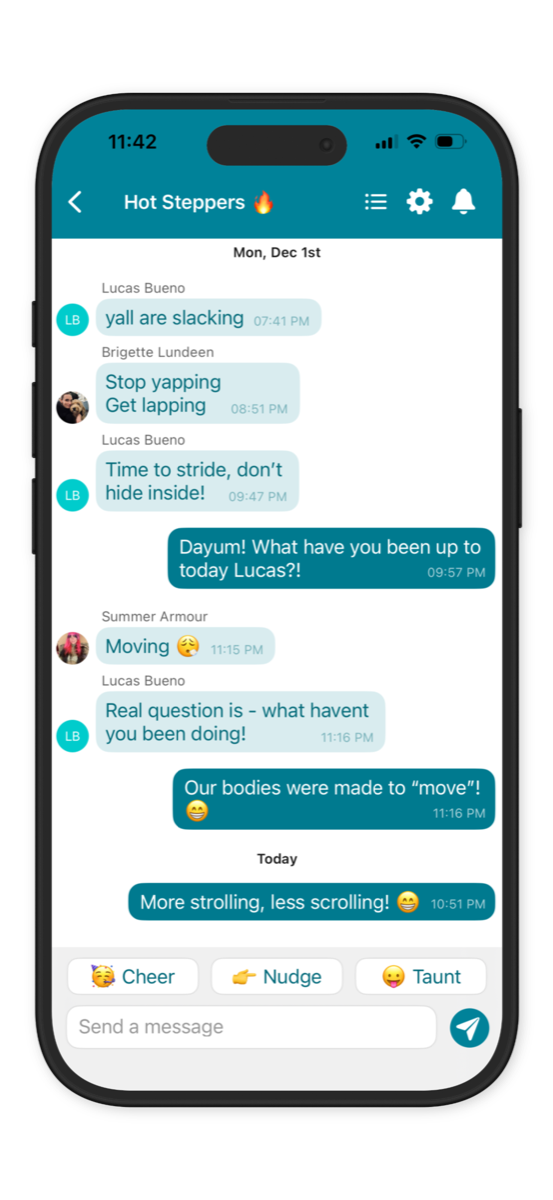
StepUp workplace step challenge group leaderboardColleagues cheering each other on in StepUp group chat

Run a free workplace step challenge with StepUp

Get colleagues moving together with no contract, no sales call and no setup. Share an invite link, and your teams compete on live leaderboards from their own phones.

Download on the App Store
★★★★★ 4.8 · 101K ratings
Get it on Google Play
★★★★★ 4.7 · 29K reviews

Why teams use StepUp for workplace challenges

StepUp has been used for step challenges by teams at companies including Amazon, BMW and Google. It's built to be the simplest way to run one.

Free for everyone

No per-employee fees, no contract and no features behind a paywall, so you can invite the whole company without a budget request.

Set up in minutes

No IT integration or HR system needed. Create a group for up to 15,000 people, share the invite link, and people join from their own phones.

Any phone, any wearable

Works on iPhone and Android with just a phone in a pocket, and syncs Apple Watch, Fitbit, Garmin, Samsung and more.

Privacy-friendly

Only group members see each other's steps. StepUp doesn't use GPS location, doesn't sell data, and anyone can delete their account at any time.

Friendly, not stressful

Mystery Mode hides today's step counts and shows only ranks, and admins can turn off chat or taunts if they'd rather keep things low-key.

Works across offices

Steps count in each person's local time zone, and you can run a group per office or team to compare results across locations.

Plan your workplace step challenge

A simple timeline that works for most teams, from a single department to a whole company.

  1. 2 weeks before

    Pick your dates and format: company-wide, team vs team, or ongoing monthly. Decide how you'll recognise people and get a manager or two to join in.

  2. 1 week before

    Create your group (or one per team), set custom leaderboard dates, and send the invite email so everyone can install StepUp in time.

  3. During the challenge

    Send a short weekly update, cheer people on in group chat, and give shout-outs for effort as well as top spots.

  4. After it ends

    Export the group report, announce winners and team totals, and keep the group going for an ongoing monthly challenge.

Workplace step challenge ideas

Walktober or a 30-day challenge

Set custom leaderboard dates for a month and see who walks the most. October, January and spring are popular times to start.

Office vs office

Create one group per office, region or department and compare average daily steps per member using exported reports. Great for distributed companies.

Everyone's a winner

Instead of rewarding only the top step count, enter everyone who hits a goal, such as 7,000 steps a day, into a prize draw.

Steps for charity

Turn the company's combined steps into a donation, such as a set amount for every million steps, using the group's total steps from the exported report.

Walking meetings month

Pair the challenge with walking one-to-ones and lunchtime walks so people can build steps into the working day.

Mystery Mode month

Turn on Mystery Mode so only ranks are visible during the day, with step counts revealed the next morning. It keeps everyone guessing until the end.

Keep it fair and inclusive

Make it optional

Step challenges work best when people choose to join. Invite everyone, but make it clear that taking part is voluntary and that there's no pressure to share steps with colleagues.

Compare teams by average, not total

When teams have different sizes, compare average daily steps per member rather than total steps, so a small team has the same chance as a large one.

Reward effort as well as results

Prizes only for the most steps can discourage everyone else. Recognise people who hit a personal goal, improve the most, or keep a streak going, alongside the top spots.

Plan for different abilities

Not everyone can take part in a step challenge in the same way. Goal-based prize draws and team averages help, and it's worth offering other ways to join in, such as recognising time spent being active.

Steps are counted automatically

StepUp doesn't allow manually added steps, so everyone's count comes from their phone or wearable. That keeps leaderboards fair without anyone needing to police them.

Workplace step challenge email templates

For your launch email, use one of our step challenge invite templates. Then keep the momentum going with a weekly update like this one.

Weekly update email

Subject: [Challenge name]: week [1] update

Hi everyone,

Week [1] of the [Challenge name] is done, and together we walked [total steps] steps. That's about [distance] km!

Top steppers this week:
1. [Name]: [steps]
2. [Name]: [steps]
3. [Name]: [steps]

Team standings (average daily steps per member):
1. [Team]: [average]
2. [Team]: [average]
3. [Team]: [average]

A big shout-out to everyone who hit [goal, e.g. 7,000 steps a day]. You're all in this week's prize draw!

Haven't joined yet? It's not too late. Download StepUp and join our group: [group invite link]

Keep stepping up!
[Your name]

Workplace step challenge FAQ

Is StepUp free for companies?

Yes. StepUp is free for every employee, with no contract, no per-person fees and no features behind a paywall. The app shows a small number of ads, and anyone can make an optional in-app purchase to go ad-free.

Do we need a company account, contract or IT setup?

No. There's nothing to buy, integrate or approve. The organiser creates a group in the StepUp app and shares its invite link, and employees install the free app and join with that link.

What can the organiser see about employees?

Organisers see the same group leaderboards as everyone else, and exported group reports include each member's steps and distance for the chosen dates. StepUp doesn't use GPS location, and nobody outside the group can see members' steps.

Is StepUp GDPR and CCPA compliant?

Yes. StepUp is GDPR and CCPA compliant and doesn't sell or share personal or step data. Employees can delete their account and data immediately from StepUp > Settings > Help & feedback > Delete account. See the privacy policy for details.

How many employees can take part?

Each StepUp group can have up to 15,000 members, which covers most companies in a single group. You can also create several groups, such as one per office or department, to run team vs team challenges.

Is there an admin dashboard?

There's no separate web dashboard. Group admins manage everything in the StepUp app: custom leaderboard dates, Mystery Mode, chat settings and members. For reporting, admins can export a group report for any date range.

Can different offices or departments compete against each other?

Yes. Create one group per office, department or team, and have each employee join only their own group. Export each group's report and compare average daily steps per member, which keeps it fair between teams of different sizes.

Does it work for remote and international teams?

Yes. StepUp is available worldwide on iPhone and Android, and each person's daily steps are counted in their own local time zone, so remote and distributed teams can take part on equal terms.

Do employees need a smartwatch or fitness tracker?

No. A phone in a pocket is enough. Employees who have a wearable such as an Apple Watch, Fitbit, Garmin or Samsung watch can sync it through Apple Health or Android Health Connect.

Can we export results for our wellness programme?

Yes. Group admins can export reports for any date range from Settings > Manage Groups, or by long-pressing the group name. Reports include the group's total steps and distance, average daily steps per member, and detailed leaderboards.

How long should a workplace step challenge last?

Four weeks is a popular length: long enough to build a habit, short enough to keep energy high. With custom leaderboard dates you can run anything from a single day to a full year, or simply keep an ongoing monthly challenge.